 Password Recovery
 Forgot how to crack Excel password protection, 100% removal method
I. Workbook Protection Password Cracking
After Excel workbook protection (Review - Protect Workbook), the worksheet cannot be inserted, deleted, or unhidden.
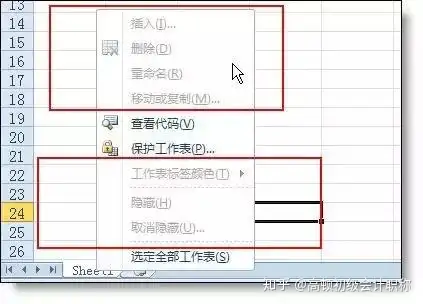
If you've forgotten your password and want to unprotect your workbook, follow along with your senior.
Start working:
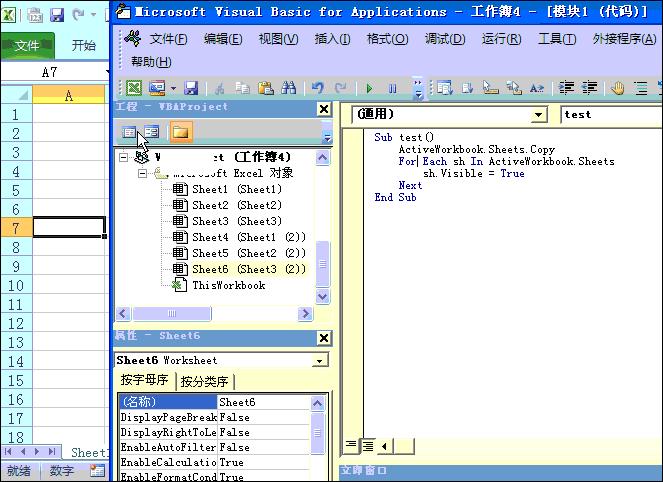
1. In the worksheet tab right-click menu shown above, click " to view the code "Open a new window (Visual baisc.. editor), insert the - module, and then paste the following code into the blank window on the right.
Code
Please enter the content
under test()
ActiveWorkbook.Sheets. Copy
For Each sh In ActiveWorkbook.Sheets
sh.Visible = True
Next
End Sub
2. Place the cursor In the code and click the Run button In the toolbar. After running the code above, the original file will be saved as a new Excel file. At this point, you only need to save it again. The workbook password has been canceled in the new file.
Demonstration Animation:
II. Cracking Worksheet Protection Password
In Excel, we can add a protection password to protect our worksheets from being modified.
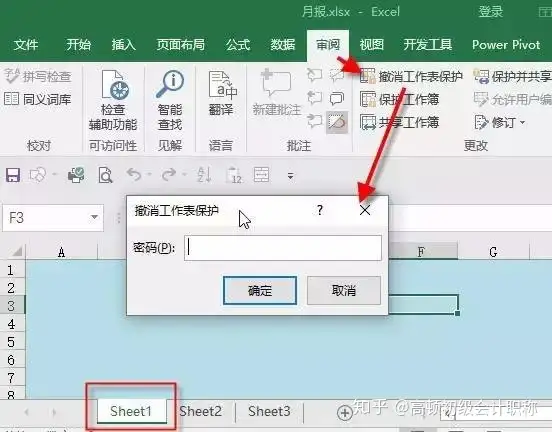
What if you forget your password one day? Today, I'll teach you a cutting-edge technology that most users don't know: a trick to crack worksheet passwords.
Steps:
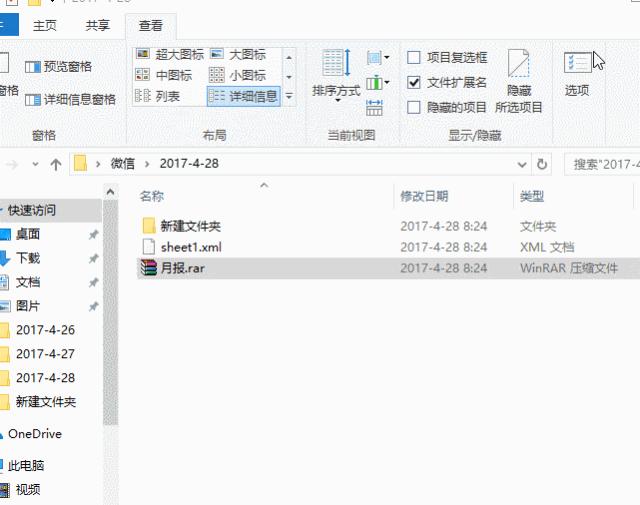
1. Change the extension of the Excel file from xlsx to RAR. Instantly, the Excel file turned into a compressed file. (No. If the extension is not displayed, select the file extension option in the toolbar.)

2. Double-click to open the compressed file, find xl - Worksheets, and drag and copy the protected worksheet sheet1.xml.

3. Open the sheet1.xml file with Notepad, search for `protect` to quickly find the protection code and delete it. After protecting, drag the file back into the compressed file.
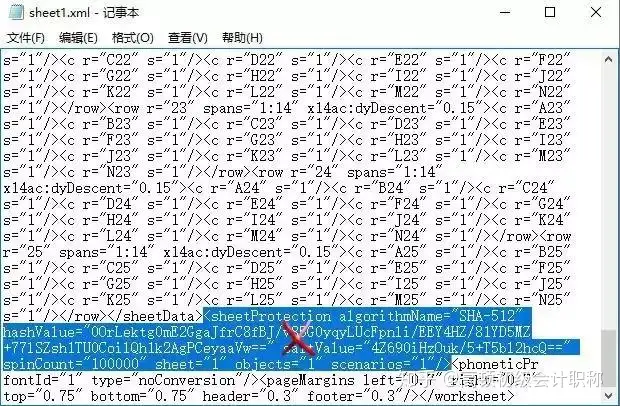

4. Change the subscript name from RAR back to xlsx. After opening the Excel file, you will find that the worksheet protection password has been deleted.
Some people will definitely ask, can the password for opening an Excel file be cracked in this way? You can't. Except for version 03, Excel versions 2007 and later have adopted a more secure encryption method. It is impossible to crack without a professional. This also reminds students that it's okay to forget your worksheet password, but never forget the password to open your Excel file.