 Password Recovery
 Free Rar Password_unlocker cracked version download
Resource Description
RAR Password Unlocker is a powerful software that includes many functions that we need in our lives. This software has a simple interface, but its functions are very powerful. We can use this software as a tool in both our daily lives and Office work.
Software Introduction
RAR Password Unlocker can help you safely recover the Password of your RAR compressed files and extract the files from the archive. It supports all versions of RAR files. RAR Password Unlocker is not only easy to use, but also quite powerful! It's super easy to use, and even a new user can fully control it within a minute.
Software Features
1. Easy to use and quick to get started
2. Supports all versions of WinRAR/RAR compressed files
3. Provides multiple recovery methods
4. Custom dictionary options
5. User-friendly settings options
6. Supports real-time viewing of recovery status

RAR Password Unlocker is a simple, easy-to-use, and powerful tool for unlocking WinRAR/RAR compressed file passwords. Some users may have poor memory and encrypt their compressed files to prevent file leakage, but what if they forget the password after a long time? The WinRAR password unlock tool can help you solve this problem. Even if someone else's compressed file is encrypted, you can use the WinRAR password unlock tool to unlock it without your own password. Huajun Software Park offers the official and latest version of winrar Password Unlocker for download. Download and experience it from Huajun Software Park if you're interested!
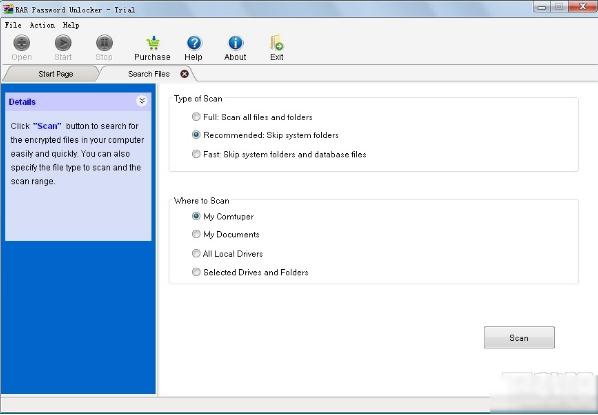
WinRAR Password Unlock Tool Key Features:
- Recover long WinRAR/RAR password
- Supports all versions of WinRAR/RAR compressed files
- Easy to use, familiarize yourself with the program in less than a minute
- With powerful three unlock modes
{ } Then save the recovery plan and summary
- Allow users to automatically shut down their computers after recovery is complete
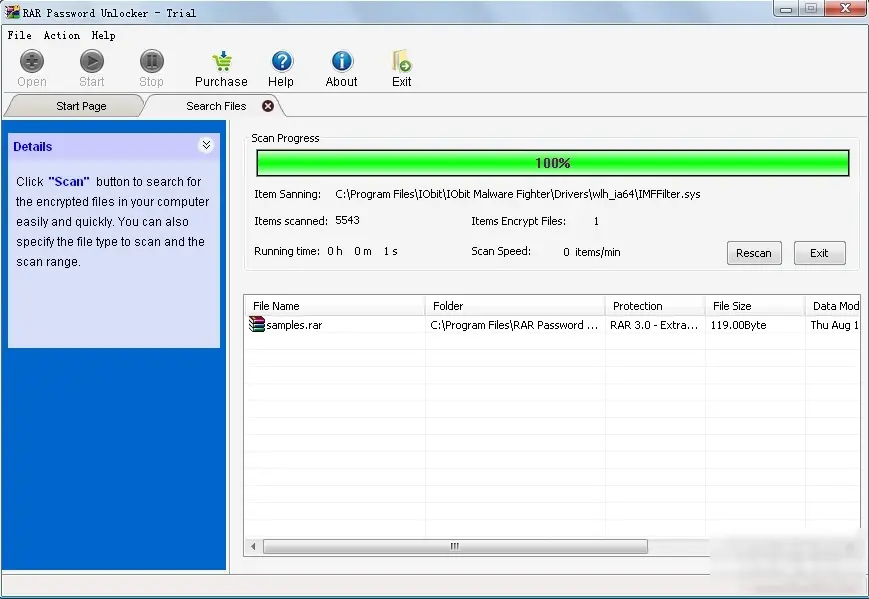
WinRAR Password Unlock Tool Installation Steps
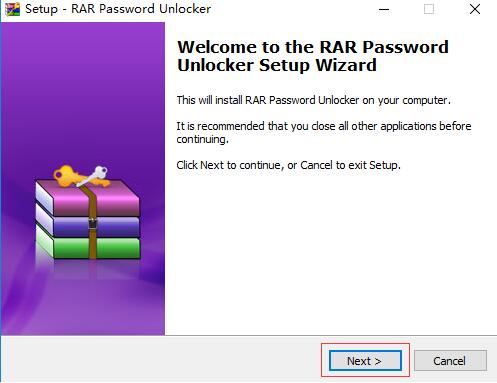
I. First, you need to find the "Download Address" section on this page and select any address to start the download. After downloading the WinRAR password unlock tool to your local area, double-click to extract it, find the .exe format program, and double-click to open it. As follows: Click next to start the installation.
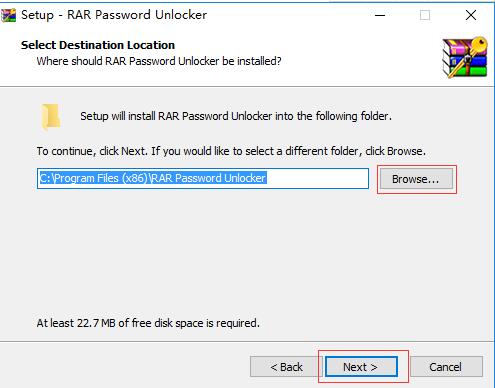
II. After starting the installation, you will enter the following screenshot interface: Here we need to set the specific installation location of the WinRAR password unlock tool. You can click [Browse] to start setting it. We recommend that you do not place it on the C drive when choosing a storage location, as this may slow down the system process. After setup, click Next to continue the installation.
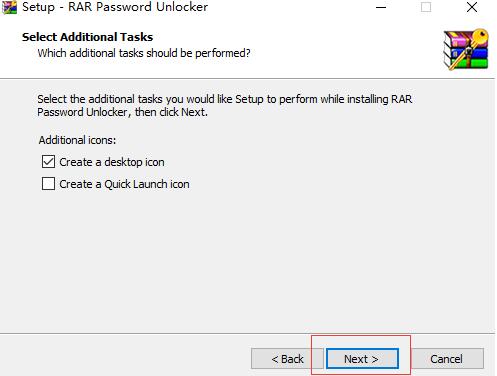
III. Continuing the installation will take you to the add-ons interface, where you can select different components for installation according to your needs. After checking, click the [Next] button to continue to the Next step.
1.) Whether to create a desktop shortcut. It is recommended to check this box to make it easier to open the software next time.
2.) Whether to create an entry in the Quick Launch bar. It is recommended to check this box so that it can be opened directly next time.
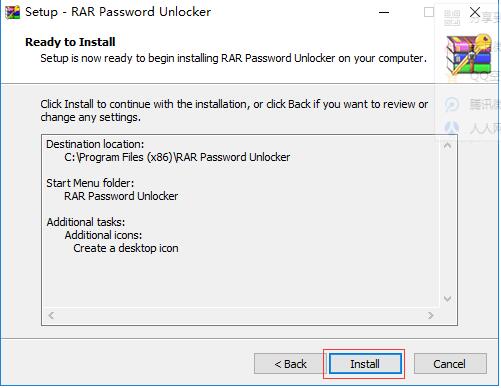
IV. Before officially entering the installation interface, we still need to confirm some installation information, as follows: After confirming that the information set before is correct, you can click the [Install] button to start the official installation.
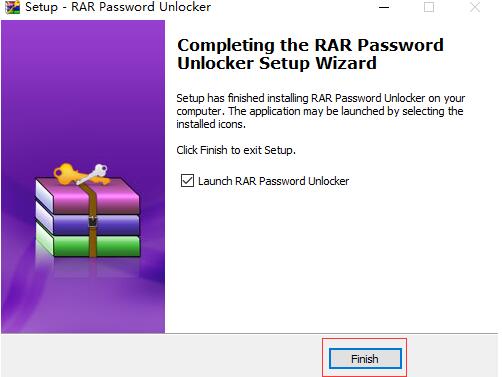
V. Finally, we need to wait for it to complete its installation. The following screenshot will appear: We can close the interface by directly clicking the [Finish] button. If you want to close the interface and directly open the WinRAR password unlock tool, please check the option in the image.
How to use RAR password unlock software
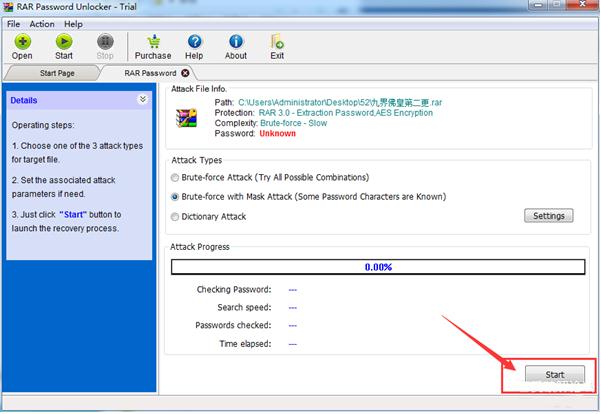
1. Open the software and click the "plus sign" in the upper left corner
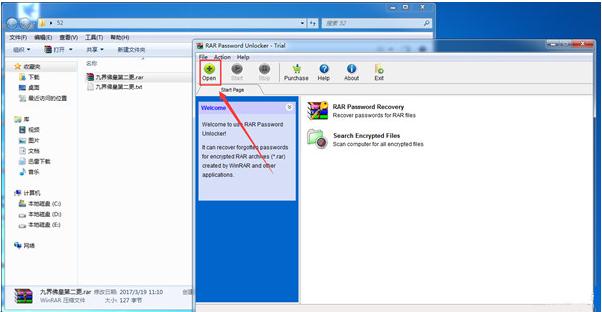
2. Add the file and click "Start" to Start unlocking.
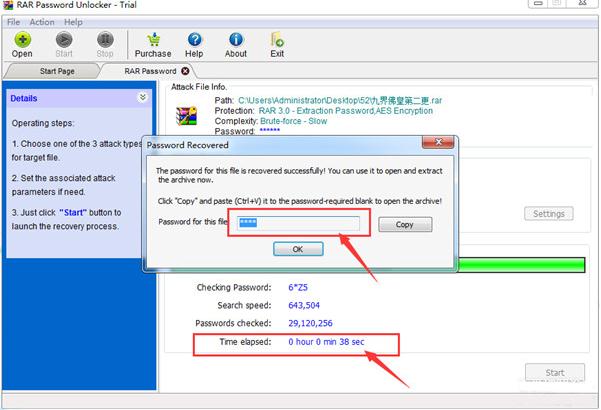
3. It has been unlocked. This is the password. The time here varies depending on the difficulty of the password. But this speed is really very fast!!!
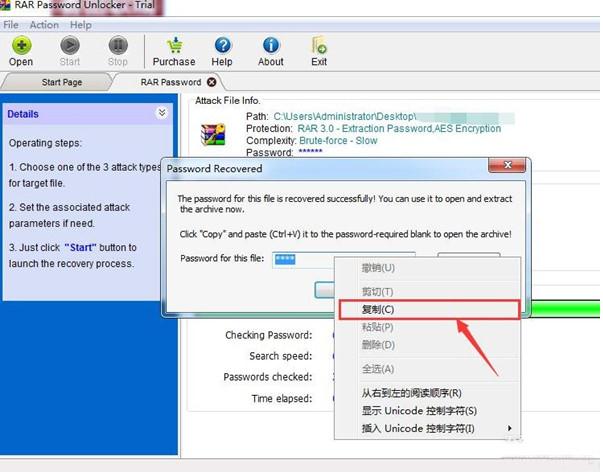
4. Note that you must manually right-click to copy, otherwise an error may occur!
WinRAR Password Unlock Tool Frequently Asked Questions
WinRAR Password Unlock Tool Error Message?
If you encounter an exception when using the WinRAR password unlock tool, try updating or installing the Visual C++ 2008 runtime to resolve the issue. The download link for
RAR Password Unlocker is the same. Just select a commonly used cloud drive and copy it to your browser to download!
Baidu Cloud Drive:https://pan.baidu.com/s/1Jj_zGSbcekb4VoCr1GlaVQ?pwd=yh3p Extraction Code: yh3p
Xunlei Cloud Drive:https://pan.xunlei.com/s/VNzTDrU335pKBswxnh3iODcwA1?pwd=nynf# Extraction Code: nynf
Lanzouyun: https://xiaodongzi.lanzout.com/ilBvE20qv2gd
获取解压密码请联系:www.mima8.cn Customer Service Request
This resource is shared by Document Password Recovery Master 文档密码恢复大师">www.mima8.cn . Please indicate the source when reprinting. Thank you for your cooperation! For more resources, please visit:www.mima8.cn/article/soft{1001108}