 Document Password Recovery Master
 iSumsoft PDF Password Refixer Cracked Version [PDF Decryption Software]
iSumsoft PDF Password Refixer The download link for the cracked version is the same; just select a frequently used cloud storage and copy it to your browser for download!
Baidu Cloud:https://pan.baidu.com/s/1tSy6TPvNEO3AH_7irbOOCA?pwd=jh6z Extraction Code: jh6z
Xunlei Cloud:https://pan.xunlei.com/s/VO6t_P7hDsEoNyZWdQ97PYl6A1?pwd=xvhm#
蓝奏云: https://xiaodongzi.lanzout.com/ixe5Q2a3gg8b
获取解压密码请联系:www.mima8.cn Customer Service WeChat Request
iSumsoft PDF Password Refixer is a professional and reliable PDF Password recovery software. It can quickly recover forgotten or lost PDF passwords, including document opening passwords and permission passwords. It offers four Password recovery types to meet different needs.
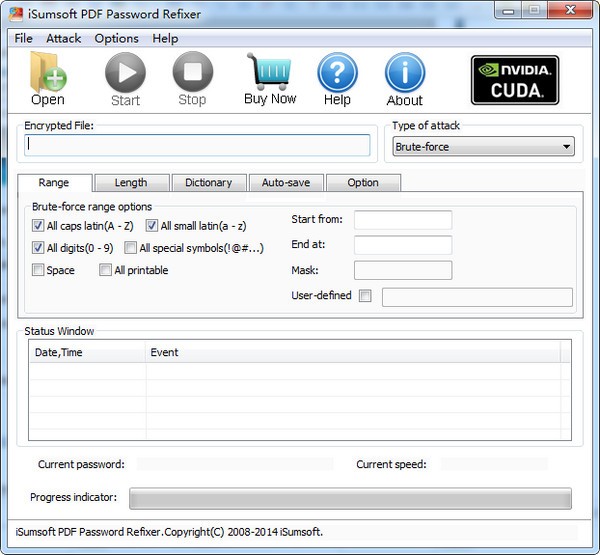
Feature Description
4 Password Recovery Types
Normal: By default, this mode attempts to search for passwords using all possible combinations of uppercase, lowercase, and numbers. The search speed can reach tens of thousands of times per second. Manually specifying the password range and length will significantly reduce password recovery time.
Blocking: If you have a clearer memory of passwords, a mask will be a better choice. Proper masking can help you recover your password in minutes or even seconds.
Dictionary: Quickly find your password from its default dictionary or your own created dictionary containing * common passwords.
Smart: Try various possible character combinations to find your password intelligently.
Automatically save incomplete password recovery procedures
isumsoft PDF password refixer can automatically save incomplete password recovery procedures when you exit and resume them the next time you start. This works.
Software Features
Ease of Use
With a simple and friendly interface, PDF Password refixer is very easy for all users to use.
100% recovery rate
Strong password attack type ensures 100% password recovery rate.
100% secure
Non-shell windows to ensure that no data is lost or corrupted.
Program Priority
PDF Password refixer recovers passwords faster on computers with more CPU power allocated.
How to use iSumsoft PDF Password Refixer
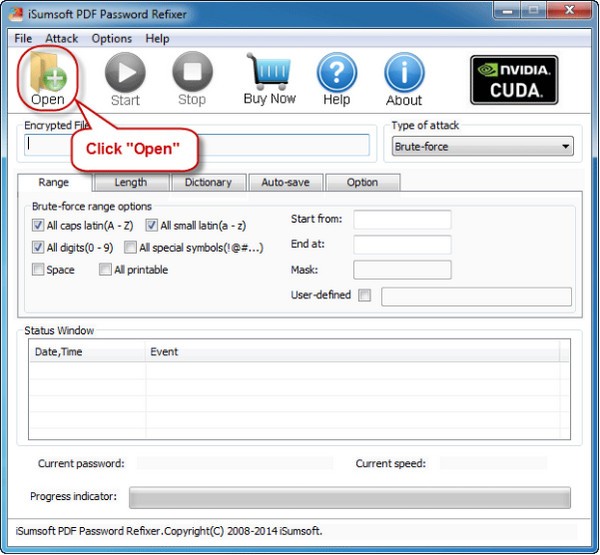
Step 1: Add a password-protected PDF file.
1) After running the PDF Password Re-Executor on a Windows
PC, the first thing you need to do is add a locked PDF file whose password needs to be recovered. Click the "Open" button in the upper left corner (or select the "Open File" menu item) and browse the target PDF file.
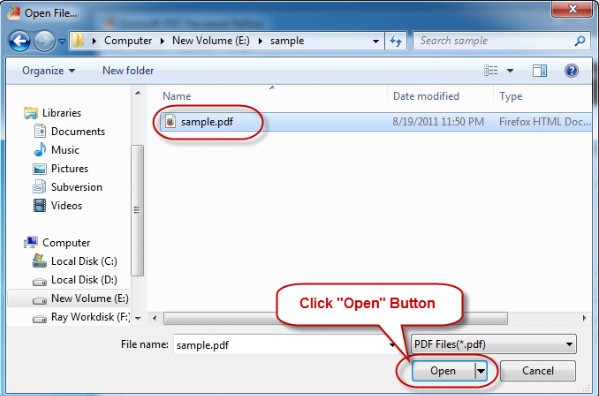
2) Select the password-protected PDF file and add it to this tool.
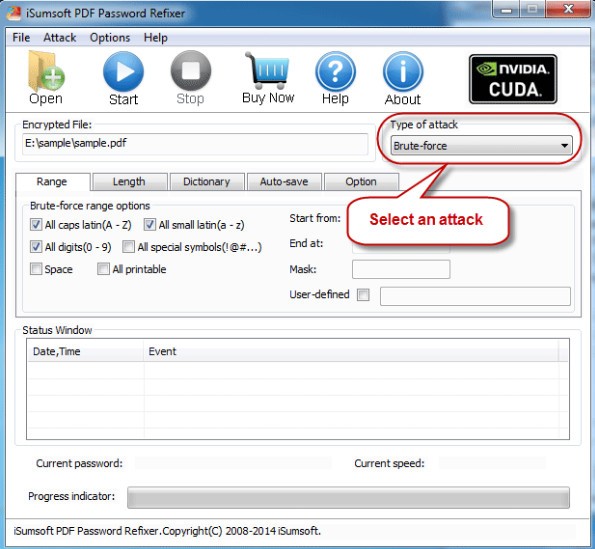
Step 2: Select the password recovery type.
Select a password recovery type from the drop-down buttons and set it as needed.
Tip:
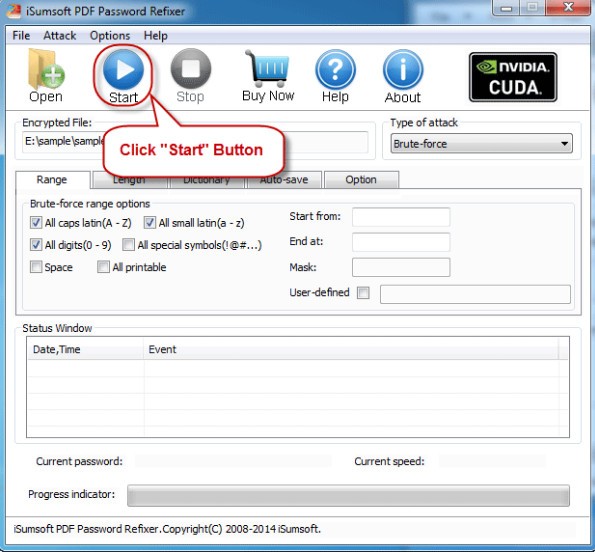
1. Brute force: Generally speaking, when you know very little about PDF passwords, you can choose to attack with brute force. It will then try all possible password combinations to discover the PDF password. This may take longer.
2. Masking: When the PDF password is partially remembered, you can select the mask attack type and specify the Password mask. This will shorten the time to recover the PDF password.
3. Dictionary: If you select the dictionary attack type, it will discover the PDF password from the software's built-in dictionary or from a dictionary you create yourself.
4. Smart: It will try all possible character combinations, including all printable characters, to recover the PDF password.
Step 3: Recover the PDF password.
Click the Start button. Then it immediately starts discovering the PDF password.
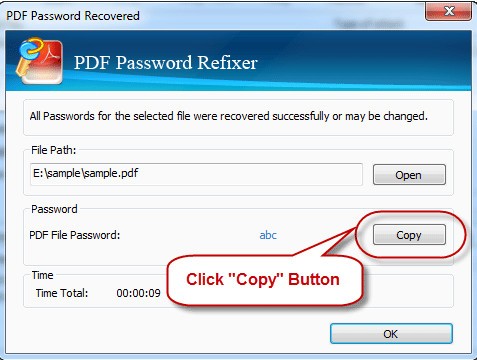
After successfully recovering your password, a dialog box will pop up informing you of your password. You can then click the "Copy" button and paste the password to open the password-protected PDF document.
FAQ
What is isumsoft PDF password refixer?
A: isumsoft PDF password refixer is a powerful password recovery tool that can help you recover lost or forgotten passwords for PDF documents.
What kind of PDF documents does it support?
A: It supports all versions of Adobe Acrobat or other PDF software (*.PDF).
What are the system requirements to run this tool?
Answer: Supports Windows 10/8/7/Vista/XP/2016/2012/2008/2003/2000 (32-bit or 64-bit); 1
GHz processor (2.4 GHz recommended); 128 MB RAM (1 GB recommended); 4MB of available hard disk space.
How long does it take to recover my PDF password?
A: This depends on many factors, such as the computer's performance, password length, complexity, etc. The time required may vary from a few minutes to several hours or even several days. Choosing the right attack type will significantly reduce attack time.